language : kotlin "2.1.20"
framework : spring boot "3.4.4"
Build tool : Gradle "8.13"
[Spring Security]
Spring Security는 Spring Framework 기반 애플리케이션에 보안 기능을 추가하기 위한 프레임워크로 주로 인증(Authentication)과 인가(Authorization) 기능을 제공하며, 세션 관리, CSRF 보호, 암호화, HTTP 요청 보안 설정 등 다양한 보안 관련 기능을 제공한다.
- 인증 (Authentication)
> 접근하는 자가 "인증" 된 사용자인가?
사용자가 누구인지 확인하는 과정이다. 인증되지 않는 사용자의 접근을 제한한다.
- 인가 (Authorization)
> 접근한 자가 "인가" 된 사용자인가?
접근한 사용자가 해당 기능에 권한이 있는지 확인하는 과정이다. 인증된 사용자이나 인가되지않은 사용자일 경우 접근이 제한된다.
[적용하기]
1. 의존성 설치하기 (Gradle)
https://docs.spring.io/spring-security/reference/getting-spring-security.html#getting-gradle-boot
Getting Spring Security :: Spring Security
As most open source projects, Spring Security deploys its dependencies as Maven artifacts, which makes them compatible with both Maven and Gradle. The following sections demonstrate how to integrate Spring Security with these build tools, with examples for
docs.spring.io
위 공식문서를 참고한다.
dependencies {
	implementation "org.springframework.boot:spring-boot-starter-security"
    	testImplementation("org.springframework.security:spring-security-test")
}
이상태에서 application 을 실행하면 콘솔에 아래와 같은 문구가 나온다.
[2025-05-02 16:27:18.174] [] 23605 [main] [WARN ] UserDetailsServiceAutoConfiguration [getOrDeducePassword:90]

Using generated security password: 97a0****-****-****-****-************

This generated password is for development use only. Your security configuration must be updated before running your application in production.

[2025-05-02 16:27:18.391] [] 23605 [main] [INFO ] MyProjectApplicationKt [logStarted:59] Started MyProjectApplicationKt in 6.119 seconds (process running for 6.422)
security password 를 따로 설정하지 않아 임의로 생성이 되었고, 이것은 개발용으로만 사용해야한다는 경고성 문구가 확인되며 운영환경에서는 UserDetailsService 또는 SecurityFilterChain으로 명시적 설정이 필요함을 알려준다.
2. Basic Auth 확인해보기
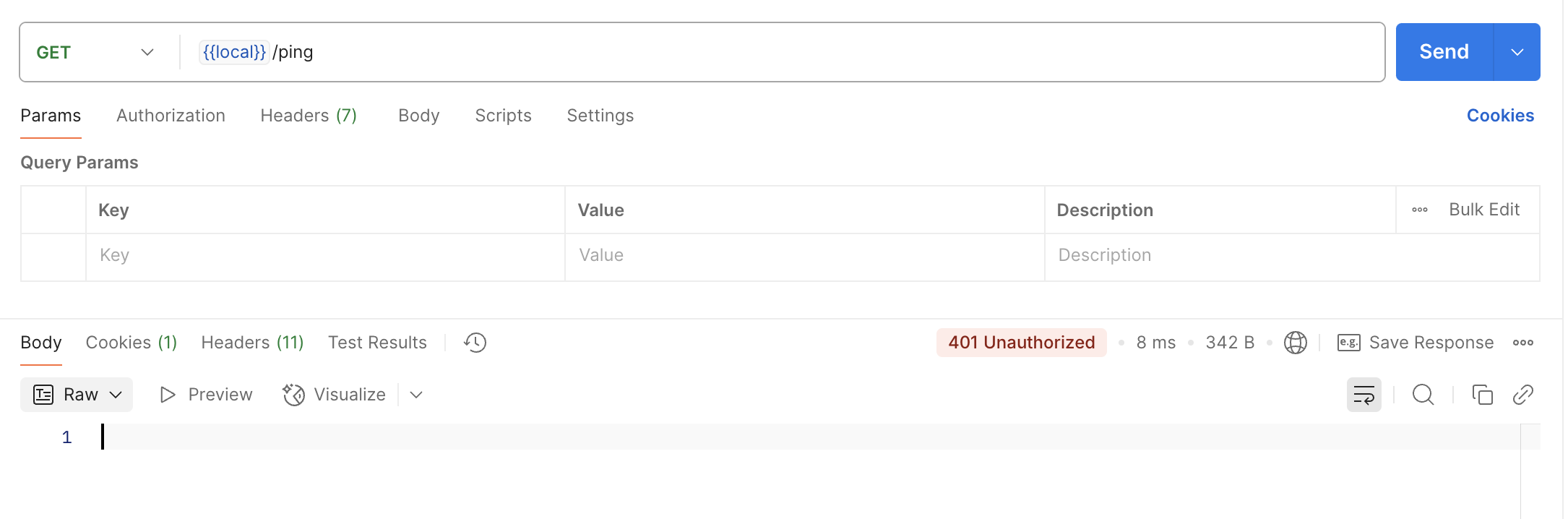
spring security 가 적용된 상태에서 아무런 인증값 없이 호출을 하면 401 에러가 발생한다.
이때, 콘솔에 찍힌 security password 를 가지고 Basic Auth 설정 후 통신을 하면 정상적으로 호출이 된다.
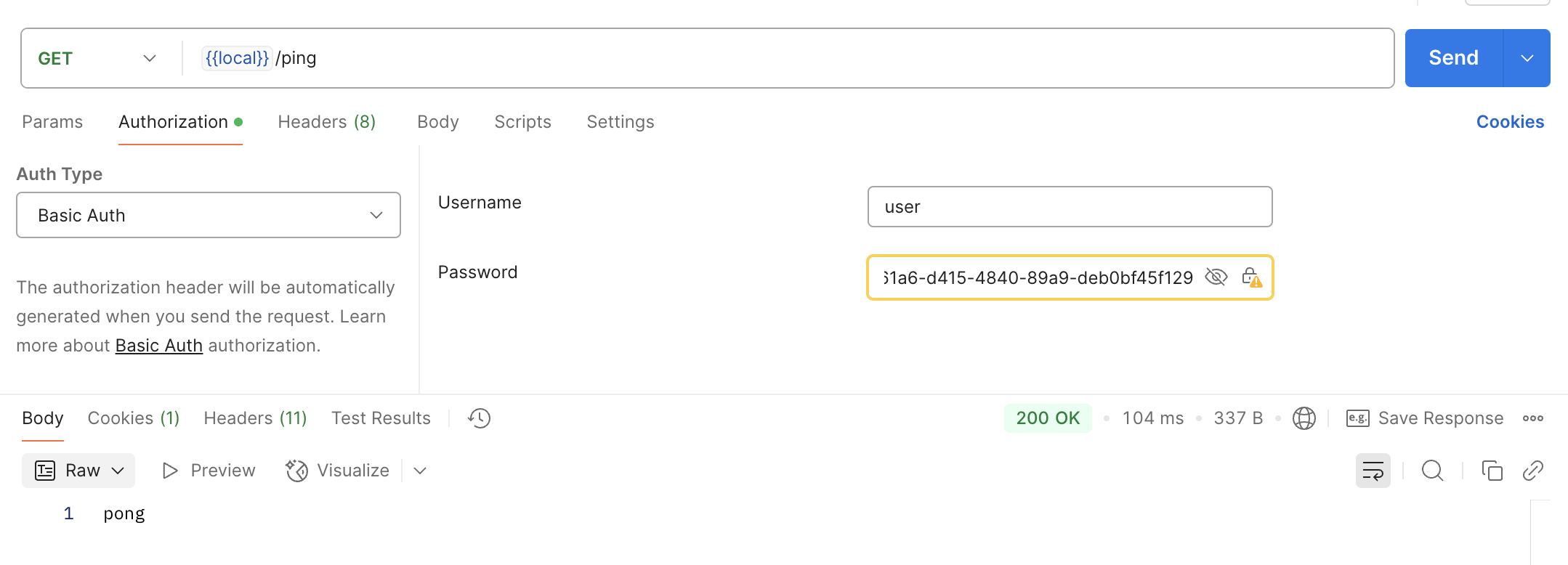
위 과정을 통해 spring security 에서는 기본적으로 Basic Auth를 제공하는것을 알 수 있다.
하지만, 프로젝트에서는 Bearer token을 사용할것이기 때문에 커스텀이 필요하다.
다음 장에서 Filter 를 이용해 Custom 인증 필터를 만드는 것을 진행해 보도록 하겠다.